
Screenshots
App details
- Updated
- 2024-12-04T01:41:17.888385Z
- Requires
- Windows 10 version 19041.0 or higher
- Language
- English
- Developer
- MBD Team {MBDUK}
- Category
- Mobile
SoftPas in:
This product is also available in the following languages:
About MBD Time Tool
Download MBD Time Tool – time tracker, stopwatch, countdown timer, world clock, time management tool, productivity app
Overview
MBD Time Tool is a streamlined web-based application developed by MBD Tech, designed to assist users in managing their time with precision and ease. As a productivity-focused tool, it addresses common challenges related to time tracking, task scheduling, and cross-time zone coordination. The app serves individuals across various domains—students managing study sessions, professionals tracking project milestones, and travelers coordinating international calls or flights. Its core purpose is to simplify time-related tasks through a suite of essential utilities, eliminating the need for multiple standalone tools.
The application operates entirely in the browser, making it accessible from any device with an internet connection. This web-first approach ensures that users are not restricted by platform-specific limitations, allowing seamless use across desktops, tablets, and smartphones. While the developer did not provide additional technical details about the app’s architecture or backend, the clean, functional design suggests a focus on performance and usability. The app’s relevance in the current digital ecosystem lies in its ability to deliver core time management capabilities without the overhead of installation or updates.
MBD Time Tool is particularly valuable for users who prioritize efficiency and minimalism in their digital workflows. By integrating a stopwatch, countdown timer, and world clock into a single interface, it reduces app clutter and enhances workflow continuity. The tool’s simplicity makes it ideal for both casual users and those managing complex schedules. Its release on December 4, 2024, positions it as a modern solution in the growing category of lightweight, utility-driven web applications.
Key Features & Functionality
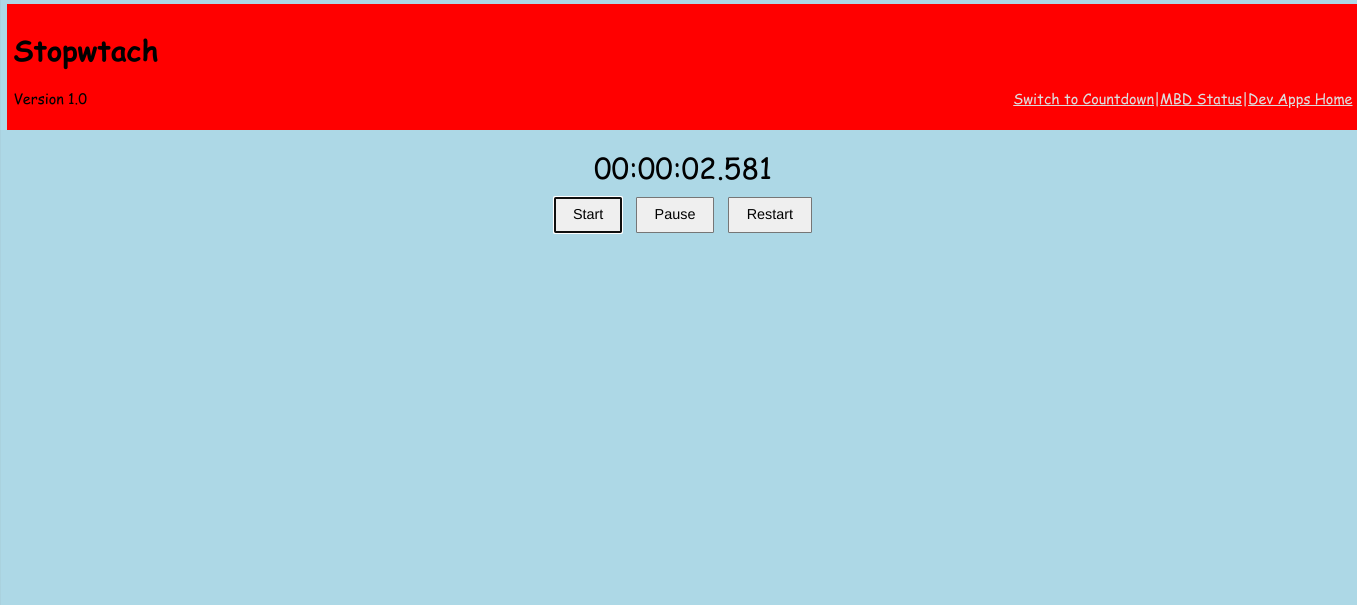
- Stopwatch Functionality: The built-in stopwatch enables real-time tracking of elapsed time with start, stop, and reset controls. This feature is ideal for timed exercises, cooking durations, or monitoring task progress during work sessions.
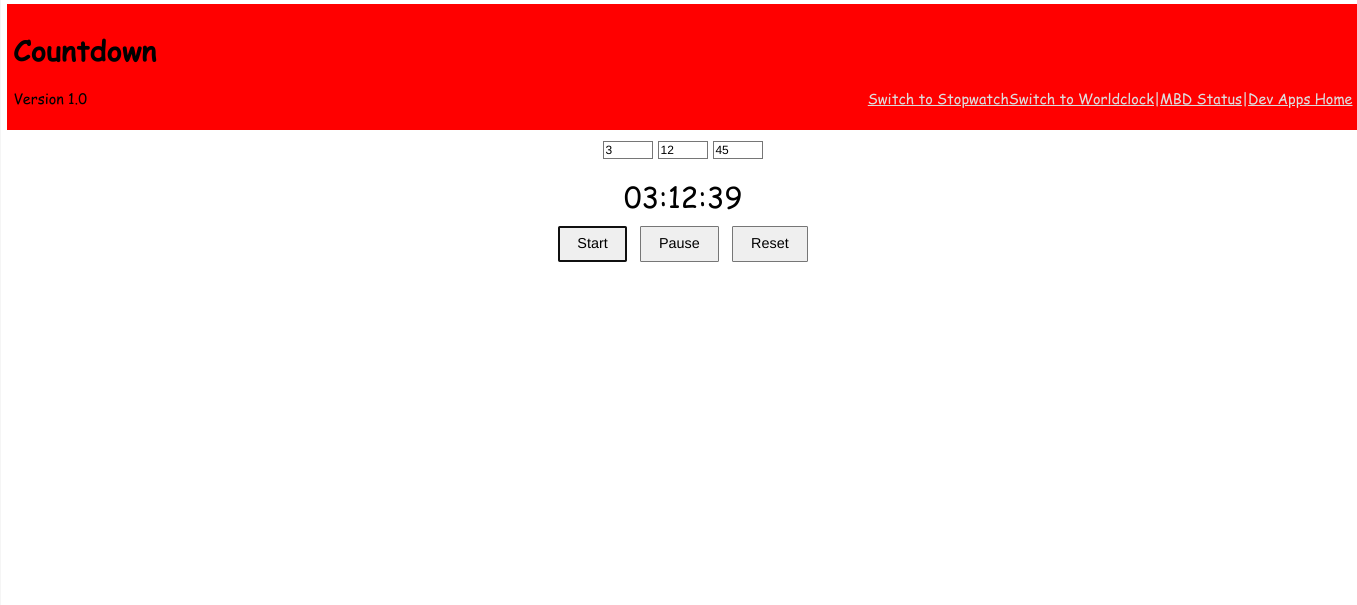
- Countdown Timer: Users can set custom countdowns for specific tasks or events. Once the time expires, the app delivers a notification alert, helping users stay on schedule without constant monitoring.
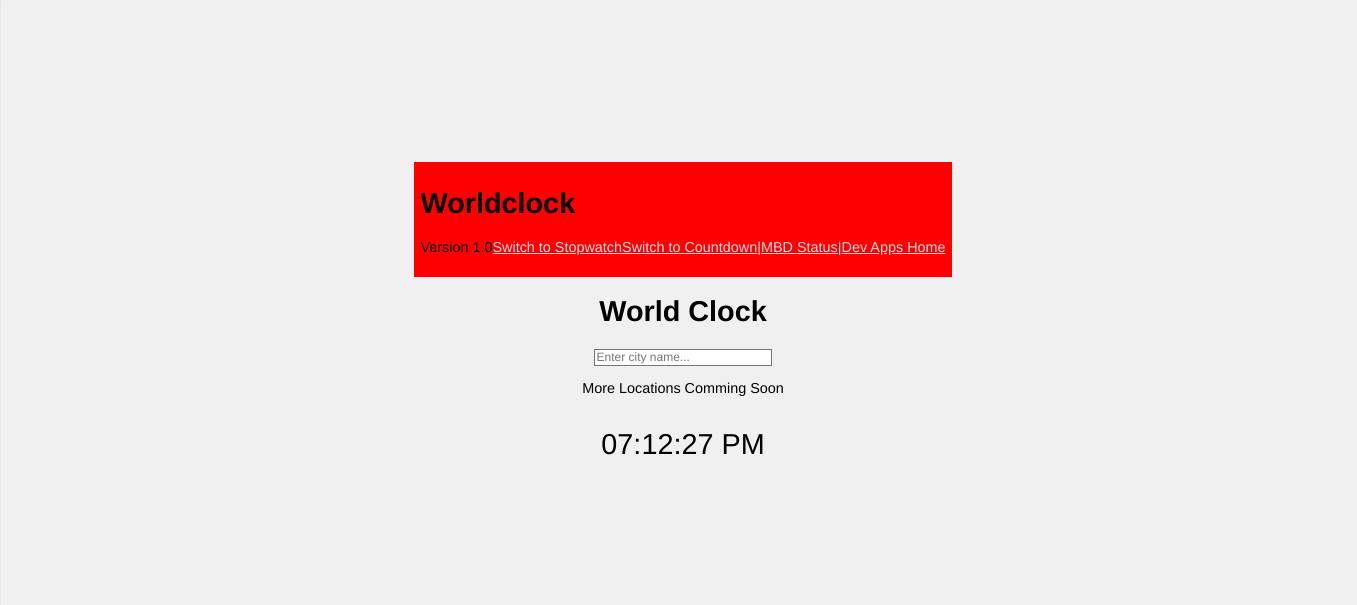
- World Clock Feature: This tool allows users to monitor multiple time zones simultaneously. By adding cities of interest, users can quickly compare local time with international locations, supporting remote collaboration and travel planning.
- User-Friendly Interface: The layout is clean and intuitive, minimizing cognitive load. Navigation is straightforward, with all major tools accessible from a central dashboard, ensuring a frictionless experience for users of all technical levels.
- Web-Based Accessibility: As a browser-based application, MBD Time Tool requires no installation. Users can access it from any device with a modern web browser, ensuring consistent availability across platforms.
These features are designed to serve real-world scenarios such as managing a workout routine with precise timing, setting a reminder for a video call across continents, or tracking how long a task takes to complete. The integration of multiple tools into one interface enhances efficiency, allowing users to switch between functions without context loss. The app’s functionality is tailored for practical, everyday use rather than complex automation, making it a reliable companion for time-conscious individuals.
Interface, UX & Performance
MBD Time Tool features a minimalist interface with a focus on clarity and usability. The visual design is uncluttered, using consistent typography and color coding to differentiate between tools. Navigation is linear and intuitive, with clearly labeled buttons and a responsive layout that adapts to various screen sizes. Users can access the stopwatch, countdown timer, and world clock with minimal clicks, reducing the time spent on setup.
Although the developer did not list formal performance metrics, the application’s lightweight nature—only 2.3 MB in size—suggests efficient resource usage. The app loads quickly and responds promptly to user inputs, indicating solid performance on both low-end and high-end devices. Responsiveness is maintained across different screen resolutions, ensuring a consistent experience whether accessed from a smartphone, tablet, or desktop.
Stability appears to be a strength, as the app does not require frequent updates or maintenance. The absence of complex dependencies contributes to a reliable user experience. While specific details about error handling or crash rates were not provided, the app’s straightforward functionality reduces the likelihood of user-facing issues. Overall, the UX design prioritizes function over flair, delivering a dependable tool that performs consistently under typical usage conditions.
Platform Compatibility & Technical Requirements
MBD Time Tool is a web application, meaning it operates through standard web browsers rather than being installed as a native app. As such, it is compatible with any device that supports modern web standards, including Android, iOS, Windows, and macOS systems. The app does not require a specific operating system version, as it relies on the browser’s capabilities rather than OS-specific features.
The file size of the application is 2.3 MB, which is exceptionally small for a full-featured tool. This indicates optimized code and minimal asset loading, contributing to fast load times and low data consumption. The developer did not specify minimum OS requirements or browser compatibility details. However, given its lightweight design and web-based nature, it is likely to function on most current browsers, including Chrome, Safari, Firefox, and Edge.
Since the app is not available as a downloadable installation package for mobile platforms, users must access it via a URL. This approach ensures universal access but may require users to bookmark the site for regular use. The lack of a dedicated app store presence means no automatic updates, but the web-based model allows the developer to deploy improvements instantly without user intervention.
Pros and Cons
Pros
- Free to use with no hidden costs or subscriptions.
- Web-based access enables use across multiple devices without installation.
- Lightweight design (2.3 MB) ensures fast loading and low data usage.
- Intuitive interface suitable for users of all experience levels.
- Combines multiple time management tools into a single, cohesive platform.
Cons
- Requires an active internet connection to function.
- No native mobile app available for direct installation.
- Specific technical requirements were not listed.
- Compatibility with older browsers or devices may be limited.
- Limited customization options for timers and clocks.
FAQ
Is MBD Time Tool safe to use?
Yes, as a web-based application, MBD Time Tool does not require installation and does not collect personal data. It runs entirely in the browser, minimizing security risks.
Can I use MBD Time Tool offline?
No, the app requires an active internet connection to function, as it is hosted online and accessed through a web browser.
Is there a mobile app version available?
MBD Time Tool is currently only available as a web application. There is no dedicated mobile app for Android or iOS at this time.
How often is MBD Time Tool updated?
Updates are deployed directly through the web platform. The developer does not specify a release schedule, but improvements are made as needed.
Does MBD Time Tool support multiple languages?
The developer did not provide information about language support. The interface is currently in English only.
Final Thoughts + CTA
MBD Time Tool stands out as a focused, efficient solution for individuals seeking a no-frills approach to time management. Its combination of a stopwatch, countdown timer, and world clock in a single, accessible interface makes it a valuable tool for students, remote workers, and frequent travelers. The app’s minimalist design and web-based accessibility eliminate the need for downloads or installations, offering instant usability across devices.
While it lacks native app support and offline functionality, its lightweight footprint and free access make it a compelling choice for users who prioritize simplicity and reliability. For those who manage multiple time zones or need precise time tracking, MBD Time Tool delivers tangible benefits without complexity.
Download MBD Time Tool now
Guides & Tutorials
How to install MBD Time Tool
- Click the Download button above.
- Once redirected, accept the terms and click Install.
- Wait for the MBD Time Tool download to finish on your device.
How to use MBD Time Tool
This software is primarily used for its core features described above. Open the app after installation to explore its capabilities.
User Reviews
No reviews yet. Be the first to share your experience.
You may also like
more
Que no te pillen¡
About !Que no te pillen¡Reviewed by Jason A. BilbreyShow MoreShow Less

3D Combat Zone
About 3D Combat ZoneOriginally released in 1983, 3D Combat Zone immerses players...

666: El día del portal
About 666: El día del portalOn June 6, 2006, Agent P. Stone uncovers a sinister...

80 in 1 Best Flash games
About 80 in 1 Best Flash games 80 in 1 Best Flash games is a collection of 80 fl...

ABYSS SEEKERーーWhat Do You See Deep in The Abyss
About ABYSS SEEKERーーWhat Do You See Deep in The AbyssIn ABYSS SEEKER, players...

ACA NEOGEO THE KING OF FIGHTERS 2002 for Windows
About ACA NEOGEO THE KING OF FIGHTERS 2002 for WindowsTHE KING OF FIGHTERS 2002,...